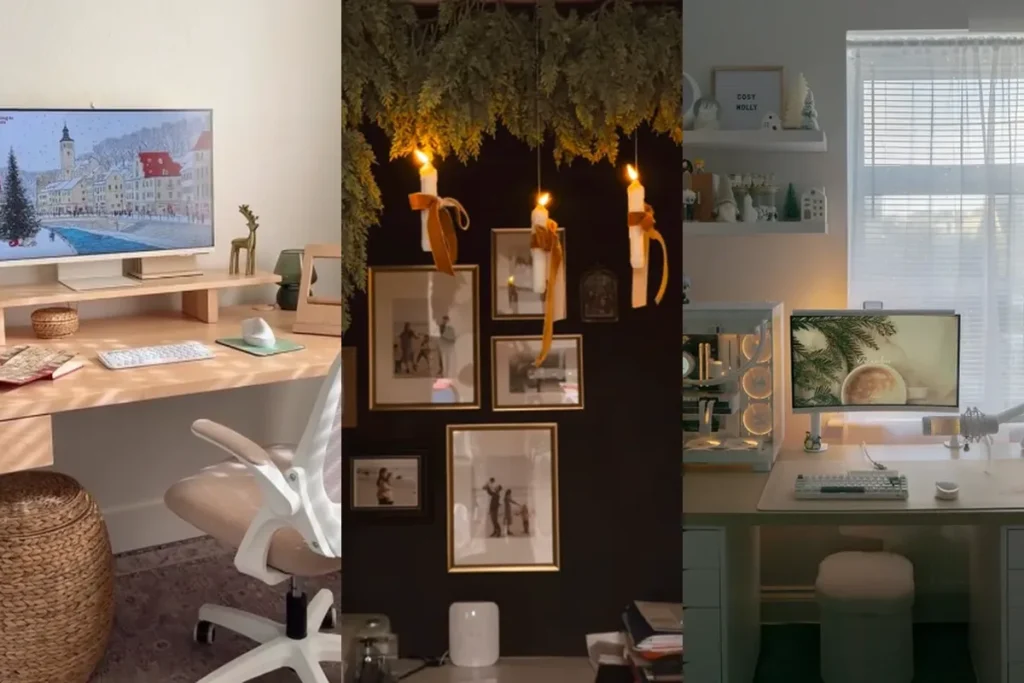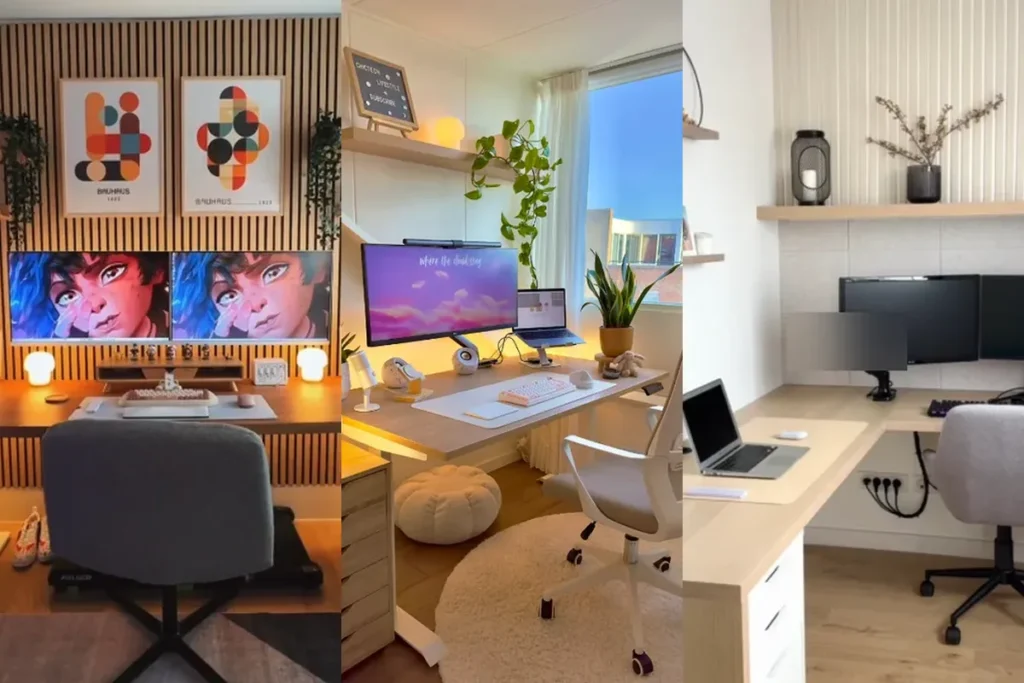
Once you work with two screens, going back to one feels like working with one hand. You can keep a video call on one screen and your notes on the other, compare two documents side by side, or leave email open all day without it covering your main work.
These 25 dual monitor home office setup ideas come from real desks. Some use two matching monitors, some pair a monitor with a laptop, and a few swap two screens for one ultrawide. Each idea notes what makes the layout work so you can copy it at your own desk.
Need more workspace ideas? Browse our home office ideas and our small home office ideas.
How To Set Up Two Monitors Comfortably
- Put your main screen straight in front of you and the second one to the side. If you use both equally, center the point where they meet in front of your nose.
- Set the top of each screen at or slightly below eye level, about an arm’s length away. That keeps your neck neutral during long days.
- Use matching sizes and heights for two monitors you look at equally. Mismatched screens make your eyes refocus every time you switch.
- A monitor arm frees up desk space and lets you tilt, raise, or rotate a screen. Check that your desk is thick enough for a clamp.
- Check your ports before buying. Many laptops only support one external monitor without a docking station.
- Angle side screens inward slightly so you turn your eyes, not your whole body, to read them.
1. Two Matching Monitors On A Long Wood Desk
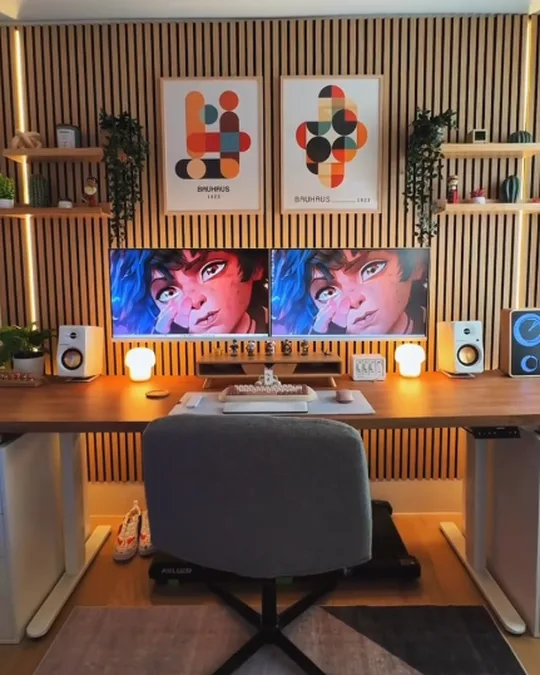
Two matching monitors sit side by side on a riser in the middle of a long wood standing desk, framed by slat wall panels, two art prints, and small speakers.
Why it works: Matching screens at the same height read as one wide display, so your eyes move smoothly between them.
Keep the space under the screens clear for a keyboard and a notebook.
2. L-Shaped Desk With Dual Monitors In The Corner
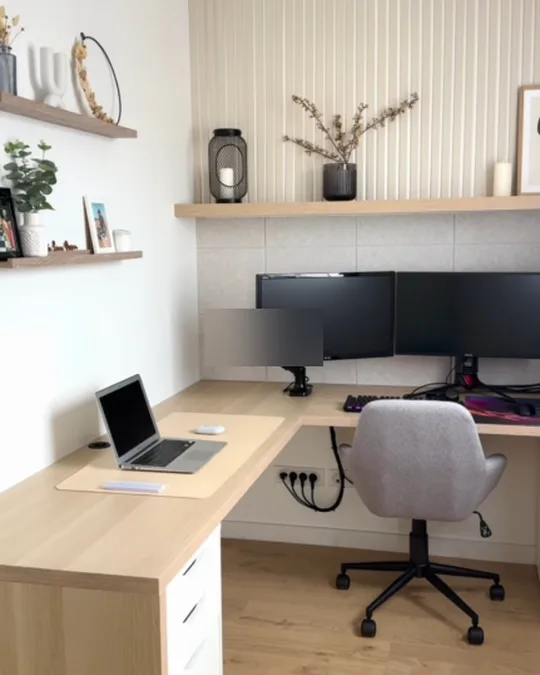
Two monitors on a shared arm fill the corner of an L-shaped desk, while the long side holds a laptop and drawers. Floating shelves and slat panels finish the wall.
Why it works: An L-shaped desk gives the monitors one wing and paperwork or a laptop the other, so you never have to move screens to make room.
Run power along the back corner so cables stay hidden.
3. Monitor Plus Laptop On A Stand
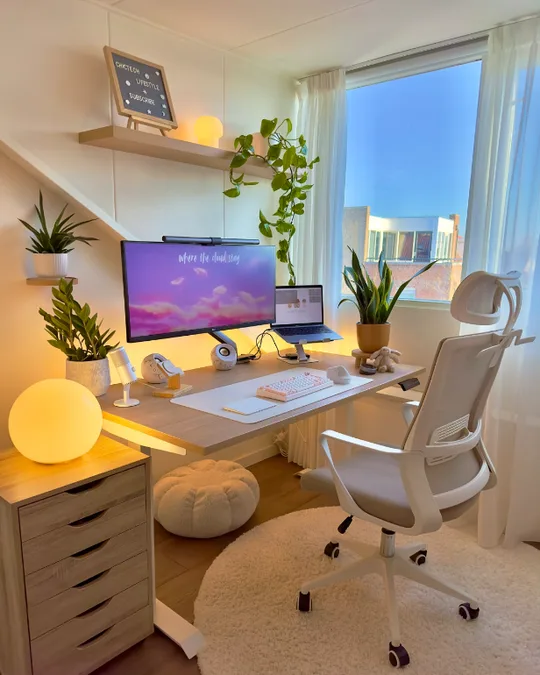
A large monitor on an arm sits beside a laptop on a stand, with a light bar on top, plants, and a soft round lamp beside a white standing desk.
Why it works: Raising the laptop to monitor height turns it into a real second screen instead of something you look down at.
Use the laptop screen for chat and email and keep the main monitor for focused work.
4. Laptop, Main Screen, And A Vertical Monitor

A laptop on a stand, a wide main monitor, and a second monitor turned vertically sit across a dark wood desk lit by warm lamps.
Why it works: A vertical monitor is perfect for long documents, code, and chat, while the main screen handles everything wide.
Look for a monitor stand or arm that rotates 90 degrees.
5. Standing Desk With Two Screens At Eye Level
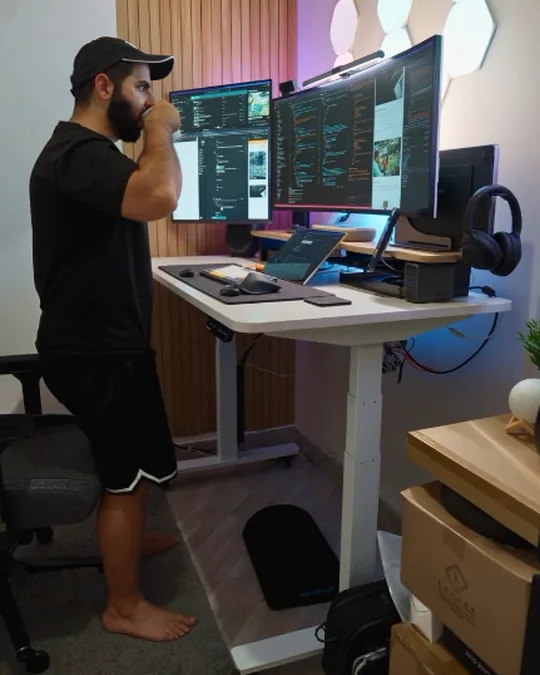
Two large monitors and a laptop sit on a standing desk raised to elbow height, with hexagon wall lights and slat panels behind them.
Why it works: When you stand, screens need to rise too. Monitor arms let you keep both screens at eye level in sitting and standing positions.
Add an anti-fatigue mat if you stand for long stretches.
6. Vertical And Horizontal Monitors For Coding
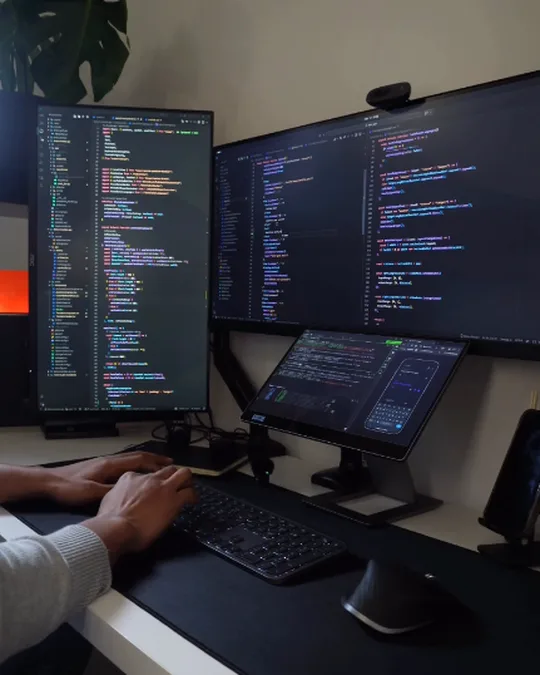
A tall vertical monitor on the left and a wide horizontal monitor on the right both float on arms, with a tablet stand below for a third screen.
Why it works: Mixing orientations matches screens to tasks: a vertical screen for long files and a horizontal one for previews and browsers.
Put the screen you type into most directly in front of you.
7. Three Monitors On A Small Desk
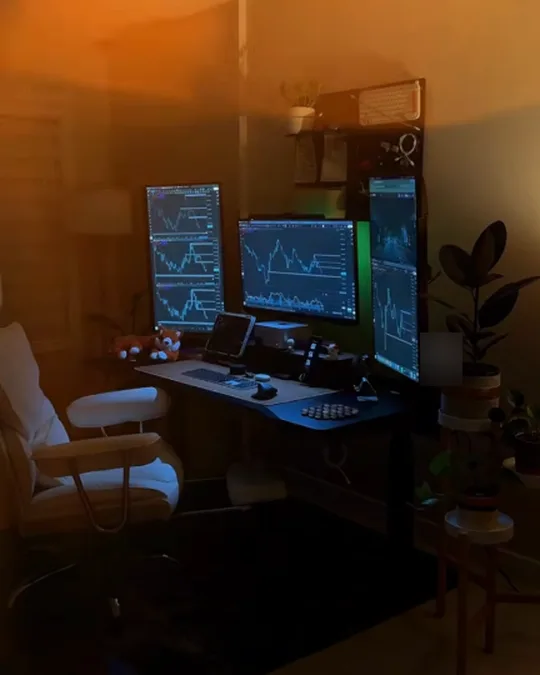
A central monitor flanked by two vertical screens creates a full trading wall on a compact black desk, warmed by golden light from the window.
Why it works: Turning the side monitors vertical saves desk width, so even a small desk can hold three screens.
Use a triple monitor arm to keep the desk surface clear.
8. Ultrawide Plus A Vertical Screen On An L-Desk
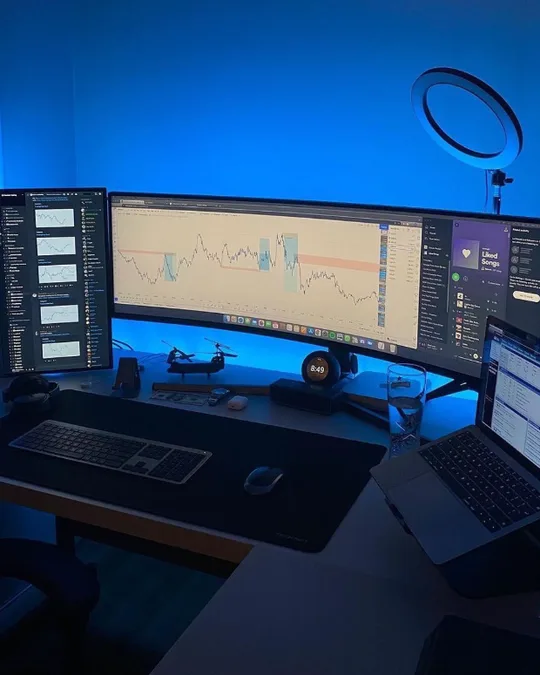
A super ultrawide monitor sits beside a vertical monitor on an L-shaped desk, with a laptop on the corner and blue backlighting behind it all.
Why it works: An ultrawide covers the job of two screens, and the vertical monitor adds a dedicated space for chats or lists.
Bias lighting behind screens reduces eye strain in dark rooms.
9. Two Monitors At A Standing Desk With A Desk Bike
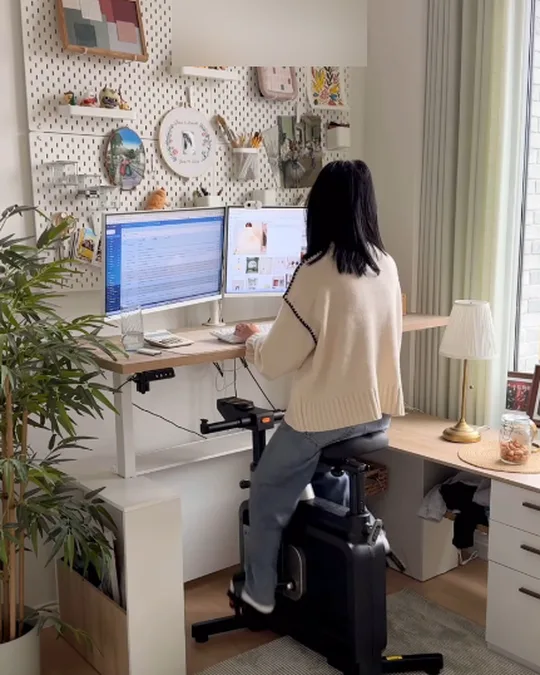
Two monitors sit on a raised white desk while the user pedals on a desk bike, with a pegboard of photos and a lamp in the corner.
Why it works: Keeping both screens at standing height means you can switch between a chair, a bike, and standing without moving anything.
A pegboard behind the desk keeps personal items off the work surface.
10. Cozy Corner Desk With Two Screens
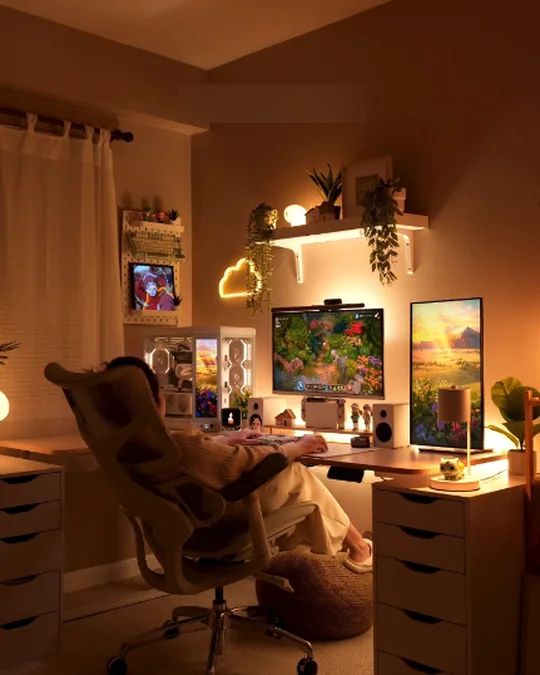
A main monitor and a second vertical screen sit in a warm corner, with a pegboard, floating shelf, and drawer units on each side.
Why it works: A second screen doesn’t have to match. A smaller or vertical display works fine for music, chat, or reference.
Warm lamps make a screen-heavy desk feel cozy at night.
11. Monitor And Laptop With A Pegboard Wall
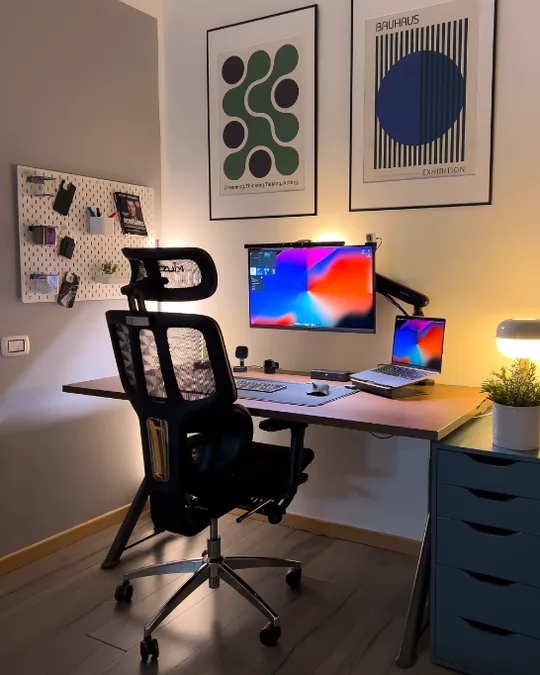
A colorful monitor sits next to a laptop on a raised stand, with a monitor light bar, a pegboard on the wall, two framed prints, and a tall mesh chair.
Why it works: A laptop riser brings the second screen close to monitor height for a more comfortable two-screen setup.
Use a USB-C dock so one cable connects the laptop to everything.
12. Monitor And Laptop Under A Pegboard
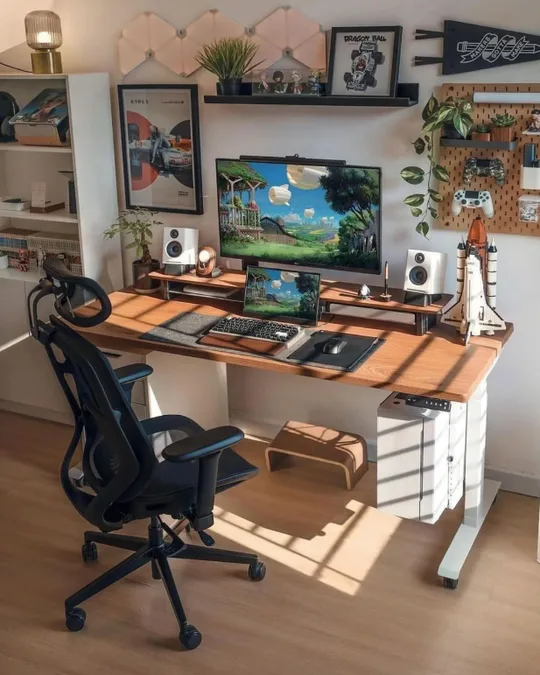
A monitor on a riser sits above a laptop on a wood desk, with a pegboard for controllers and accessories and a floating shelf of decor.
Why it works: Stacking the screens vertically keeps the setup narrow, which helps on desks under 120 cm wide.
A desk riser lifts the monitor and gives the laptop its own space underneath.
13. Laptop, Monitor, And Tablet On A White Desk
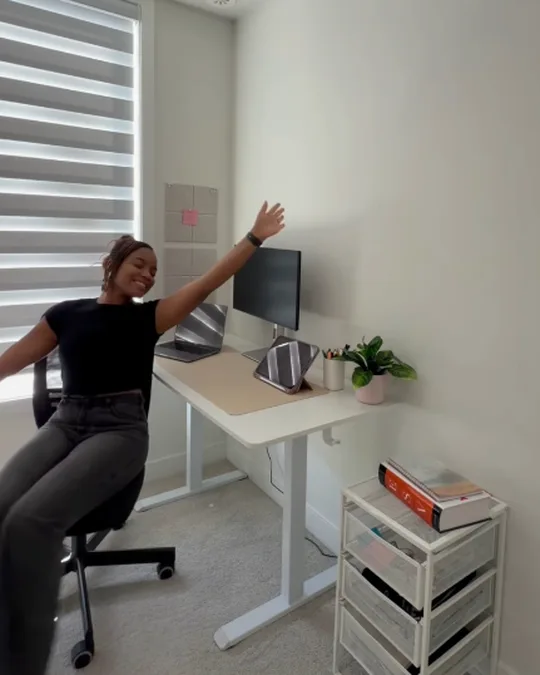
A white standing desk holds a monitor, a laptop, and a tablet on a stand, with a rolling drawer unit beside it for supplies.
Why it works: A tablet makes a handy third screen for calendars, music, or notes without taking much space.
Rolling drawers tuck under or beside the desk and move easily when you clean.
14. Monitor On A Riser With A Laptop Stand
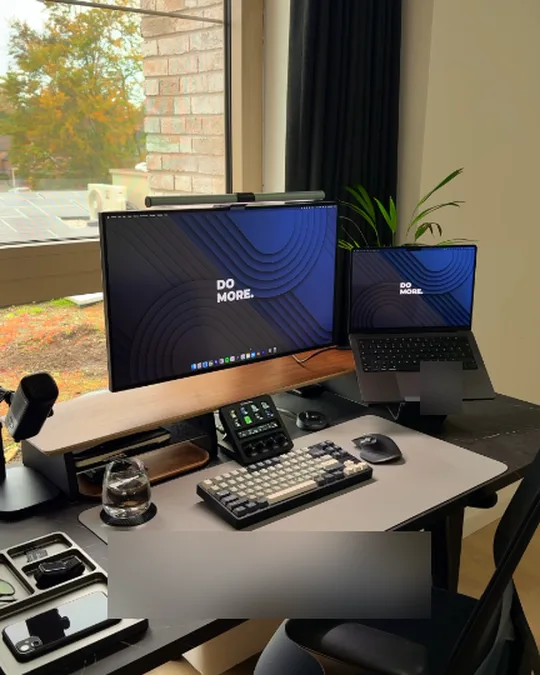
A large monitor on a wood riser sits beside a laptop on a stand, with a tray for keys and phone and a stream deck in front.
Why it works: Setting the laptop at an angle next to the monitor makes it easy to glance at without turning your head.
Use a desk tray to catch the small things that clutter a two-screen desk.
15. Single Big Monitor With A Laptop Underneath
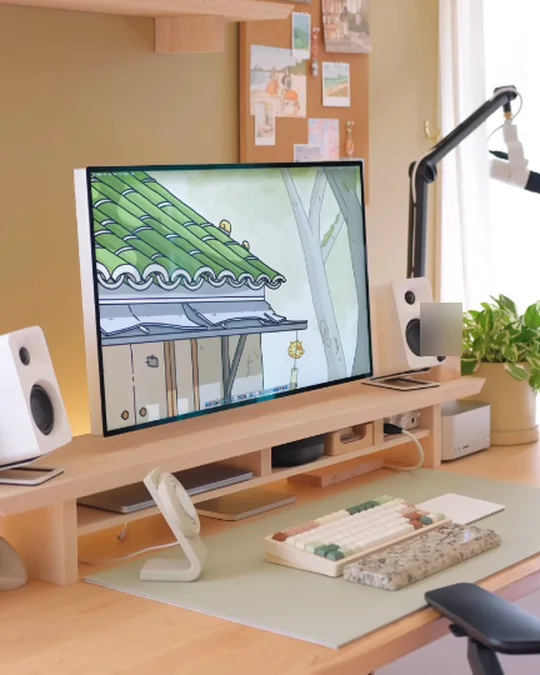
One large monitor on a wood riser sits above a closed laptop tucked underneath, with speakers, a microphone arm, and a cork board on the wall.
Why it works: If you only want one big screen, closing the laptop and using it as a computer keeps the desk clean and focused.
A riser with a shelf gives the laptop its own parking spot.
16. Monitor With A Light Bar And A Laptop Off To The Side
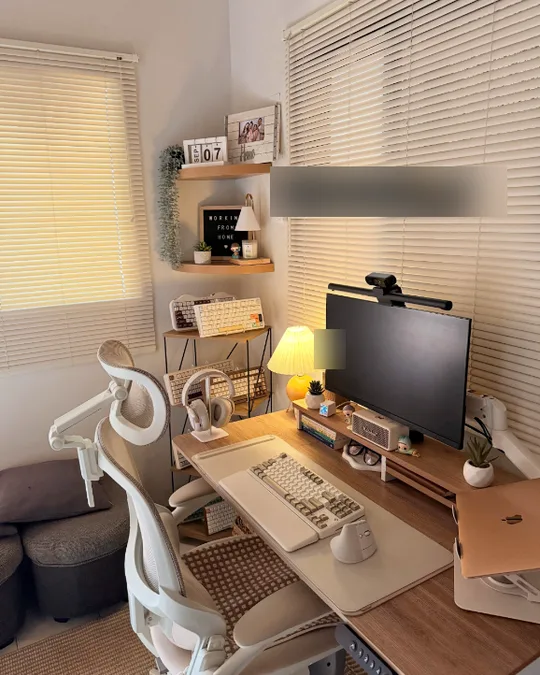
A large monitor with a light bar and webcam on top sits on a desk shelf, with a laptop on a stand to the right and a pleated lamp to the left.
Why it works: A light bar lights your desk without glare on the screen, which matters when you look at two displays all day.
Mount a webcam on top of the main monitor so you look at the camera on calls.
17. Super Ultrawide Instead Of Two Monitors
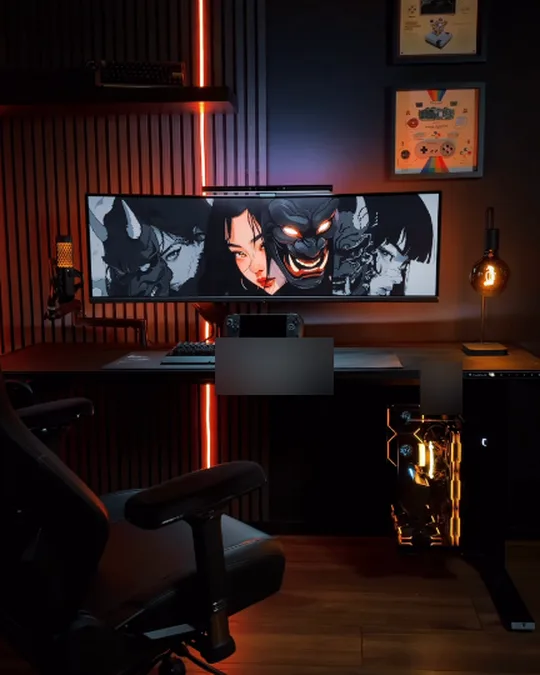
One very wide curved monitor stretches across a black desk with slat walls, orange accent lights, and framed prints above.
Why it works: A super ultrawide is the same width as two monitors but without the bezel in the middle, which is great for timelines and spreadsheets.
Check your graphics card or laptop can drive the full resolution.
18. Pink-Lit Ultrawide Desk Setup

A curved ultrawide sits on a long desk with soft pink backlights, a lamp, plants, and a cushy floor pouf for a calm, colorful workspace.
Why it works: An ultrawide lets you snap two or three windows side by side, so you get a dual monitor workflow with one cable.
Use window snapping tools to split the screen into zones.
19. Ultrawide For Two Apps Side By Side
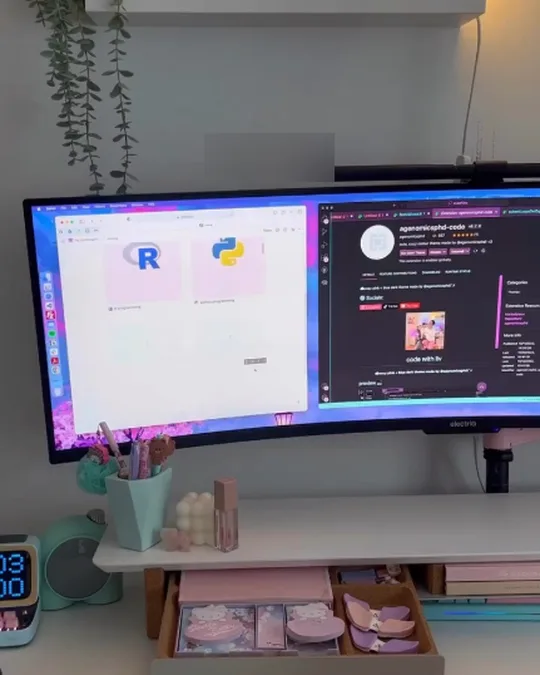
A curved ultrawide on a white desk shows two apps side by side, with a shelf riser, a pink keyboard, and a warm mushroom lamp above.
Why it works: Splitting one wide screen into two halves feels like two monitors but keeps the desk simple.
A riser drawer underneath stores small accessories.
20. Ultrawide Trading Desk With A Mic Arm
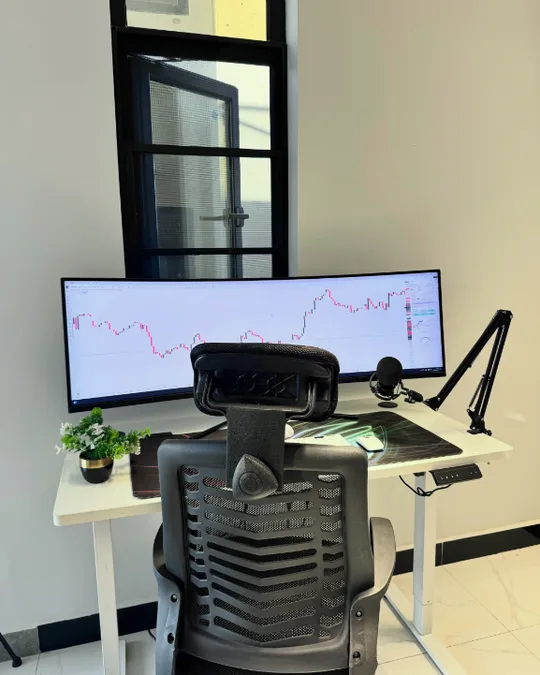
A super ultrawide monitor sits on a white standing desk with a microphone arm, a plant, and a mesh chair, under a tall window.
Why it works: One big screen lets you see long charts or timelines without breaking them across two monitors.
Clamp a mic arm to the desk to keep the surface free.
21. Adjusting A Curved Ultrawide On A Standing Desk
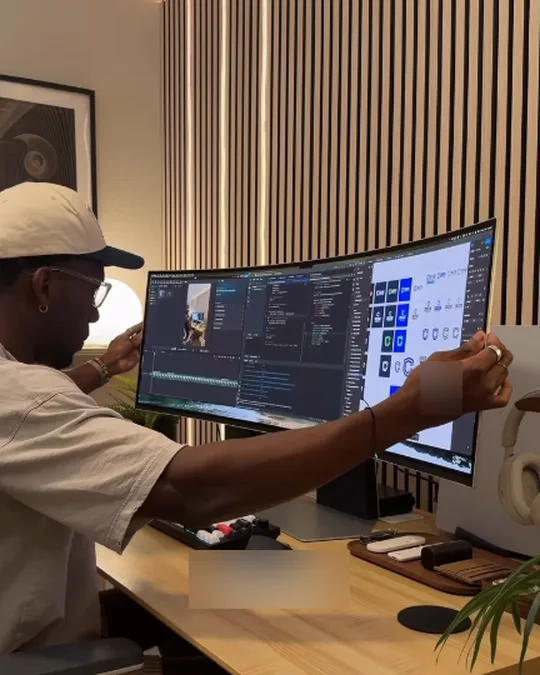
A curved ultrawide sits on a wood standing desk in front of a slat wall, with speakers, a lamp, and a tray of desk accessories.
Why it works: A curved screen keeps the edges at the same distance from your eyes, which makes wide displays easier to use.
Sit about an arm’s length away so you can see the whole screen without turning your head.
22. Ultrawide Plus A Tablet Screen
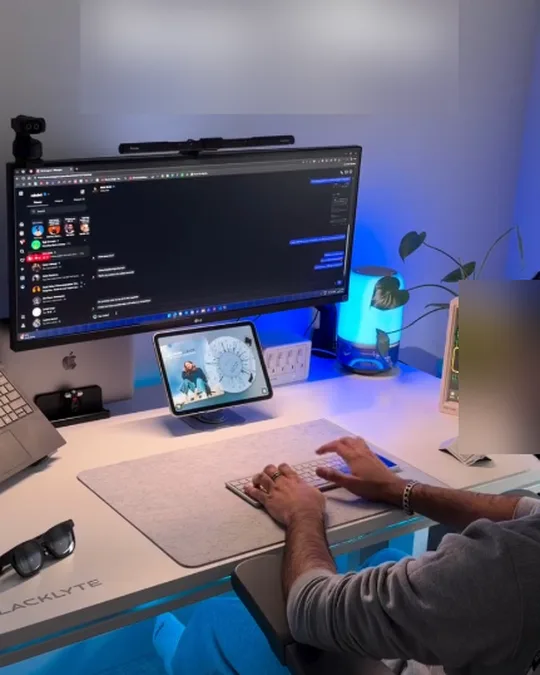
A wide monitor with a webcam and light bar sits above a tablet on a stand, with a laptop to the side and soft blue desk lighting.
Why it works: A tablet next to the keyboard works as a small second screen for video calls or reference material.
Keep cables tidy with a tray under the desk.
23. Vertical Monitor On A Slat Wall Desk
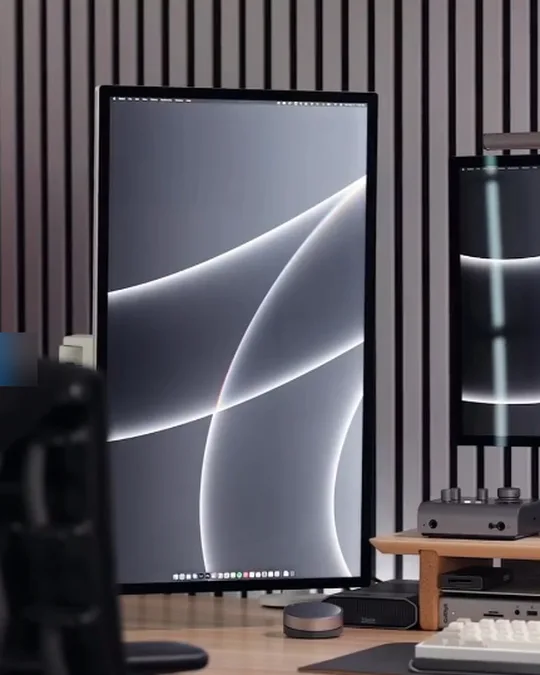
A tall vertical monitor stands next to a second horizontal screen on a wood desk with an acoustic slat wall behind.
Why it works: A vertical screen shows a full page of a document at once, so you scroll far less.
Most monitors need a VESA arm to rotate, so check the back of your screen before buying.
24. Vertical Screen For Chat And Games
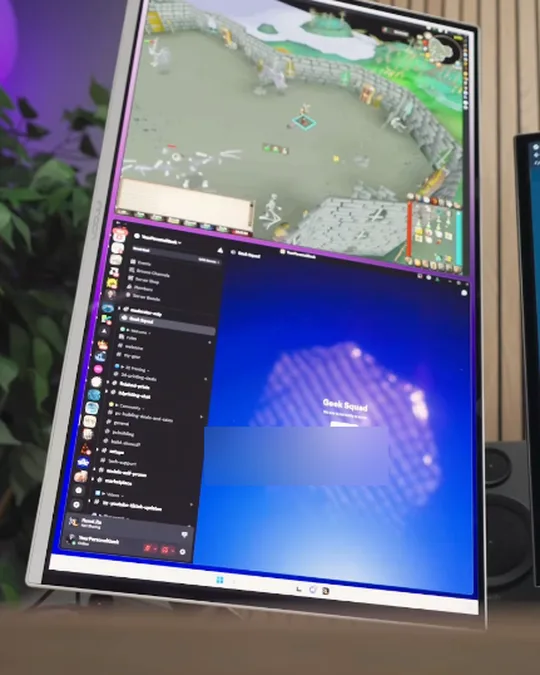
A vertical monitor is mounted on an arm to show a game on top and a chat app on the bottom, next to a regular screen.
Why it works: Splitting a vertical screen into top and bottom gives you two windows stacked without a second monitor.
Mount it on an arm so you can rotate it back to horizontal when needed.
25. Monitor On A Wood Riser With Speakers
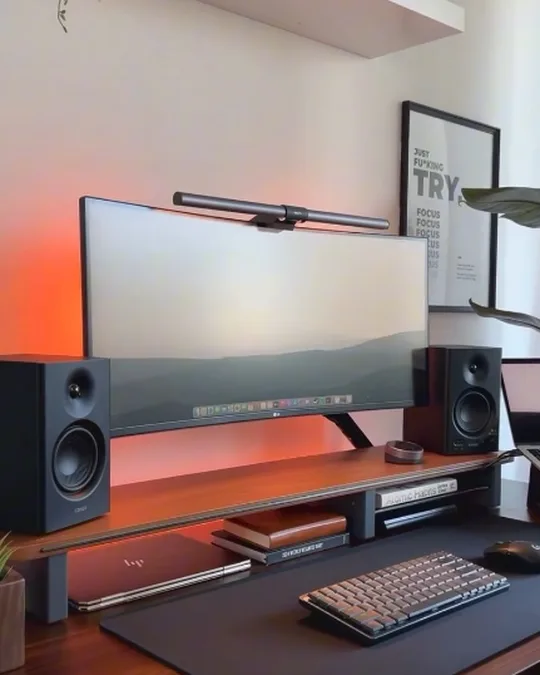
A wide monitor with a light bar sits on a wood riser between two bookshelf speakers, with a poster, a shelf of figures, and an orange glow behind.
Why it works: A riser lifts the screen to eye level and gives you a spot underneath for a closed laptop or notebooks.
Leave room on both sides if you plan to add a second monitor later.